In collaboration with the creator of the popular Sims 4 mod 'MC Command Center', I worked on improving the website for this program. The website was not responsive, which was a problem since a large part of the support team advised users on the go and had difficulty finding the necessary documentation. The website did not follow common conventions; the design and placement of elements seemed random, and the site had an outdated appearance reminiscent of 90s design.
The goal of developing the new site was to create a responsive solution, improve usability, and modernize the visual design to make it more inviting. We wanted to make it easier for users to access information and for the support team to provide assistance. At the same time, we aimed to create a more organized and readable structure for the content on the website.

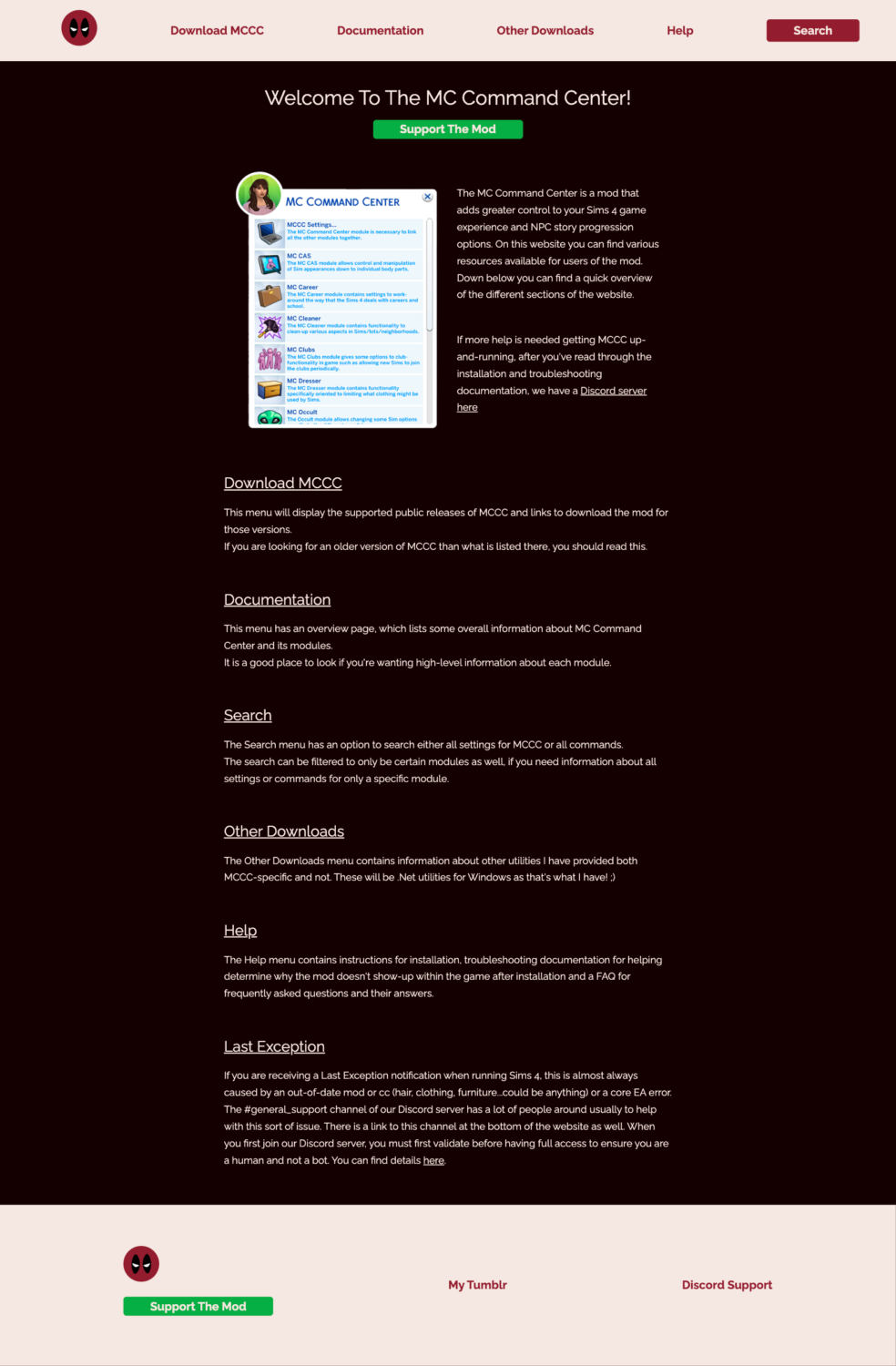

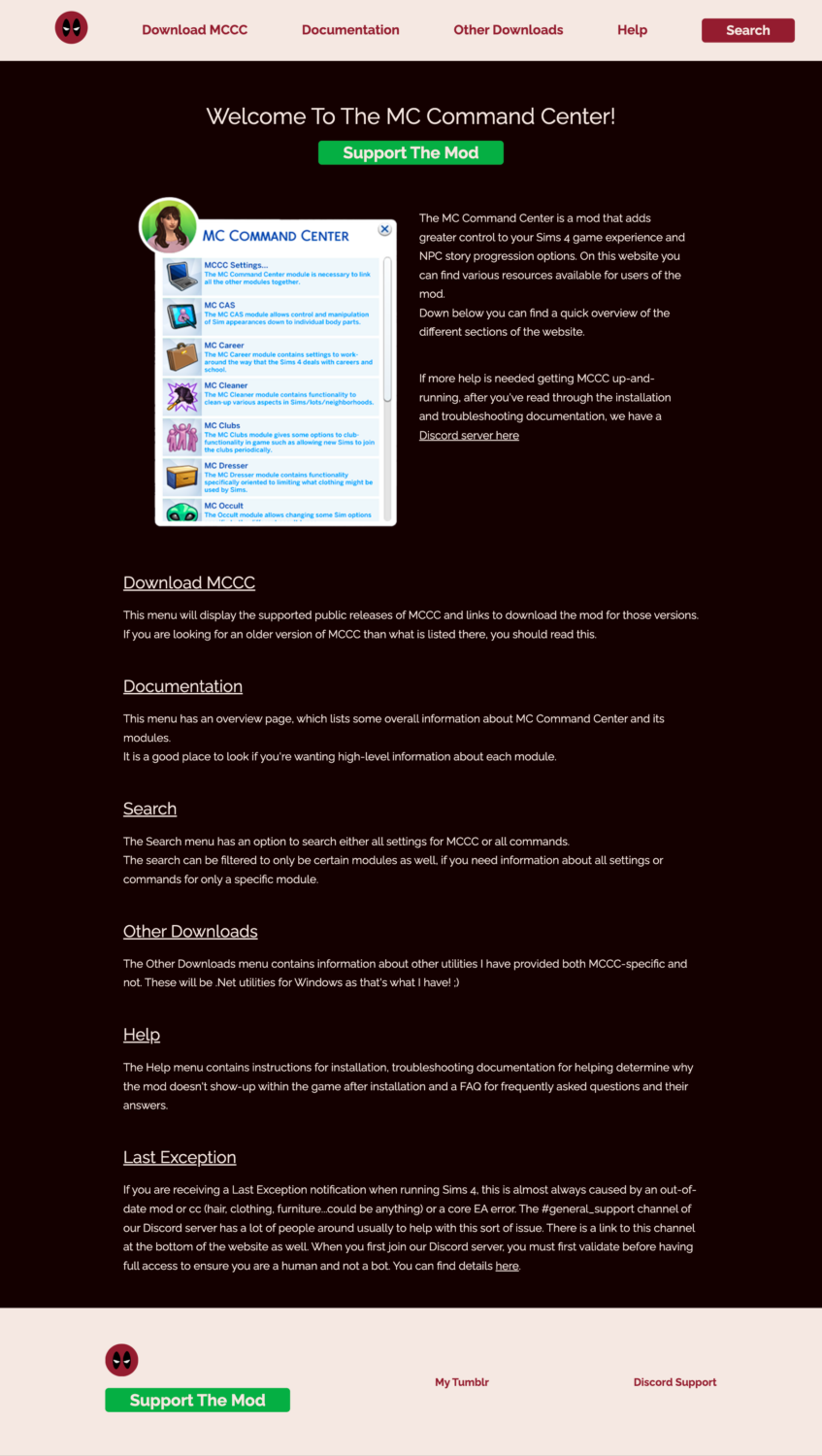

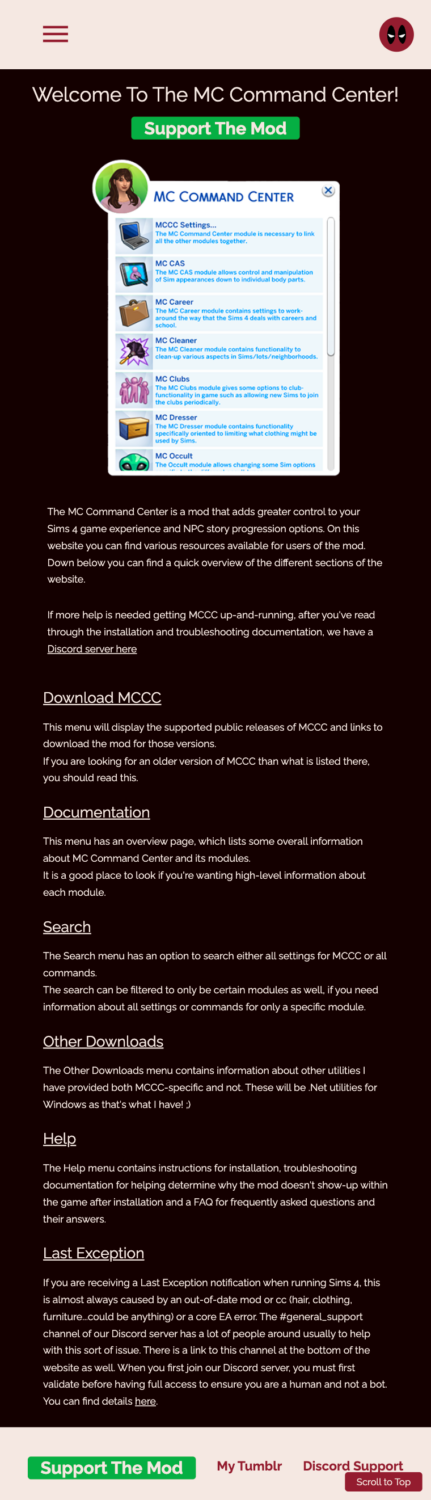
When Sarah came to me about redesigning my website, I jumped at the opportunity she presented. I know I'm a coder and not a web designer, so my website was definitely not something easy-on-the-eyes.
Through her redesign, she has been very accommodating to any suggestions that we've made and I think she's always kept the priority focused on the look-and-feel and usability for the many people that use the website regularly.
She's been great to work with and I am extremely grateful for all she's done!
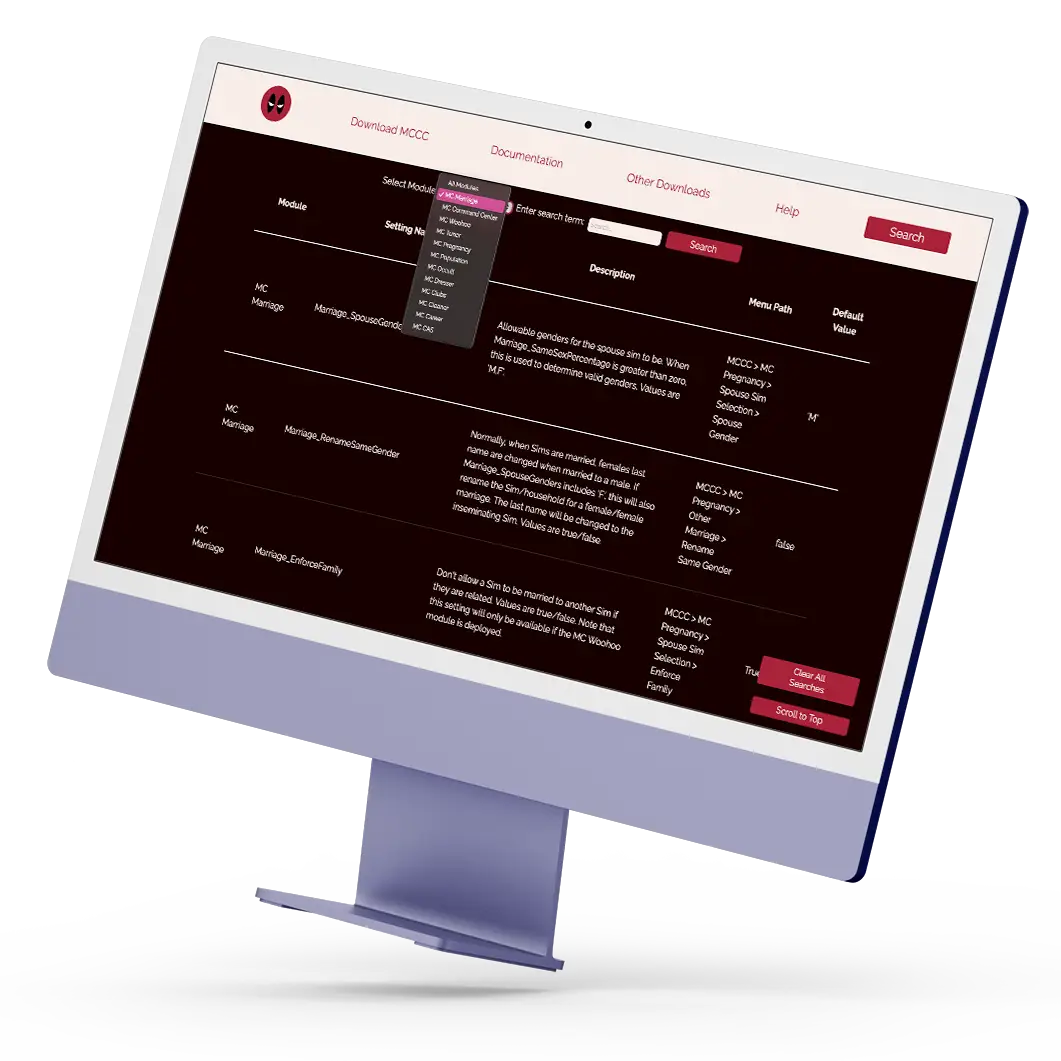
One of the most important features of the site is the ability to search through the hundreds of settings the mod offers. Since it's a mod that's always in active development, with EA releasing more expansion options and updates to Sims 4, it was important that updating the settings the search function filters through was easy.
To meet this need, I use vanilla JavaScript in combination with JSON files containing the dataset of settings. This replaces the previous Angular solution, making it more convenient for the website owner to make updates without additional setup when changing PCs.
The search function works by combining the user's entered search term with the selected module name (if a module is selected). Then, the JSON data is filtered, and results matching the search criteria are presented in a clear table on the website.
To ensure a user-friendly experience, a "Scroll to Top" button and a button to clear all searches have been added. This helps if the result is overwhelming since there can be many results. These buttons have a fixed position so they are always easy for the user to access, no matter where they are on the page.
The implemented solution creates a much more user-friendly experience, making it easy for users to find and manage the results. At the same time, it's also an efficient solution for the owner, who only needs to update the JSON files when the settings change to maintain the website.
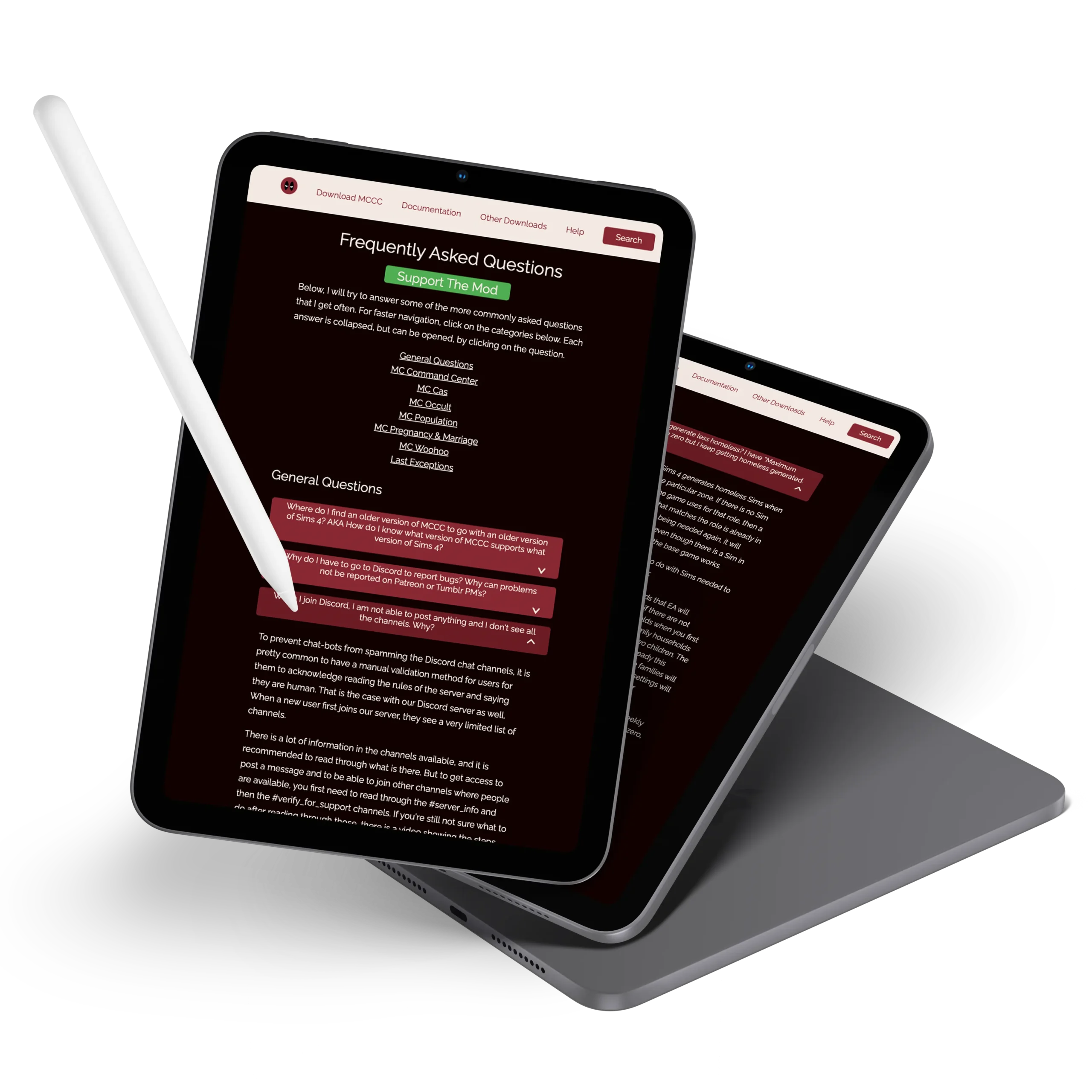
The biggest problem with the original FAQ page was its enormous length and lack of organization. It consisted of a long list of ID links leading to even longer sections further down the page, where all the questions and answers were placed. This structure made it difficult to find information because the headings had poor contrast, and the titles were repeated multiple times, causing confusion and frustration for both users and the support team.
To address this, I redesigned the FAQ by dividing the questions into categories and creating internal links to each category, making it easy and clear to navigate to the desired section. Additionally, each answer was placed in a collapsible section that can be expanded or collapsed with a single click. To enhance the reading experience and create better visual separation, I designed each collapsible as a button with larger margins and padding, making it easier for users to skim and find relevant answers.
At the same time, it was important that the support team could directly link to specific answers to assist users more efficiently. Therefore, I assigned each question its own ID, making it possible to link directly to the relevant answer. I wrote custom JavaScript code that identifies the ID in the URL and opens the corresponding collapsible if the ID matches. This means that the support team can now link a person directly to the answer to their question, and the specific collapsible will automatically open so both the question and answer are visible in the user's viewport. Additionally, additional JavaScript code was added to ensure that the page scrolls up by 120px after using such a link to prevent the question from being hidden under the navigation bar.